返回模板
松樹石繪
所需材料
- 高橢圓形石頭
- 綠色壓克力顏料
- 棕色壓克力顏料
- 白色壓克力顏料
- 中號平頭畫筆
- 細節畫筆
- 透明密封噴霧
逐步指導
1
步驟 1: Paint the winter sky background
Wash and dry your tall rock. Paint the entire surface with a cold blue-gray or deep blue to represent a winter sky. Let dry completely. The dark background will make the snow-covered pine tree stand out dramatically.
2
步驟 2: Sketch and paint the trunk
Sketch a narrow vertical trunk in the center-bottom. Paint it with brown. The pine tree trunk is typically straight and narrow. Add a few small stubby lower branches extending from the base of the triangle outline.
3
步驟 3: Build the layered branches
Using a fan brush or stiff brush, paint the pine tree in layers from bottom to top. Each layer is a wide horizontal sweep of brush that creates a fan of needles. Start with the widest layer at the bottom using dark green, then work upward making each layer progressively narrower and lighter green at the top.
4
步驟 4: Add snow on branches
Using white paint and your fan brush or a dabbing motion, add snow on the top of each branch layer. Focus the snow along the top edges of each green tier. For heavier snow, make thick white blobs that droop slightly over the edge of the branches.
5
步驟 5: Add stars and ground snow
Dot a few small white stars in the dark sky using your toothpick. Add a white snow mound at the base of the trunk. Once everything is fully dry, apply clear sealant to preserve your winter pine scene.
步驟 6: 添加 RoxGeo 代碼
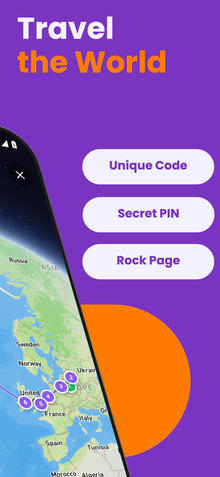
在你的石頭底部或背面寫上 ROXGEO.COM,接著加上斜線和你石頭的唯一代碼(例如 ROXGEO.COM/ABC123)。這樣尋找者就能直接訪問你石頭的個人資料頁面並記錄他們的發現。如果石頭太小無法寫下完整地址,可以寫 #ROX,接著是沒有空格的代碼(例如 #ROXABC123)--這樣簡短,容易在 Google 上搜尋,並直接引導到你石頭的旅程頁面。使用細尖的永久性標記筆或壓克力畫筆,並用透明清漆封住,這樣代碼在雨水、陽光和冒險中都能保持可讀。
有用的提示
- 選擇一塊形狀適合你設計主題的石頭。
- 在開始畫畫之前,先用鉛筆輕輕勾勒出設計。
- 在添加下一層之前,讓每一層完全乾燥。
- 用透明密封噴霧保護石頭,使其在戶外也能持久。
- 對於底部的 RoxGeo 代碼,使用防水永久性標記筆(如 Sharpie)或壓克力畫筆。在代碼上塗抹 2-3 層透明密封劑--這樣可以在雨水、陽光和處理中保持可讀數月。
- 在你的石頭上寫上 #ROXCODE(例如 #ROXABC123)可以讓人通過 Google 搜尋輕鬆找到。 我們會主動優化這個標籤,因此任何搜尋它的人都能快速找到你石頭的個人資料頁面。
- 完整地址 ROXGEO.COM/CODE 會直接帶尋找者到你石頭的卡片,讓他們可以查看完整的旅行歷史、之前的尋找者和每個停留點的照片。
繪製這塊岩石並用 RoxGeo 追蹤它的旅程!
免費下載 RoxGeo